
MICHAEL JAMES SMITH TV
PalettePro LtdArt & Design
4.936.00 Reviews
- Version
- 10.200.1
- Installs
- 10.00K
- Age Rating
- Everyone
Screenshots
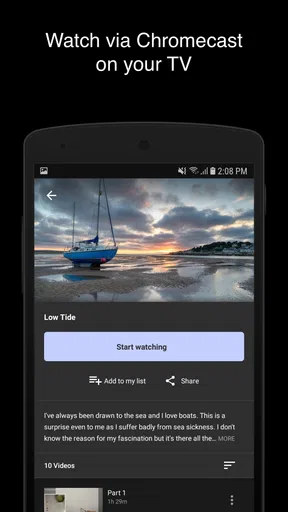
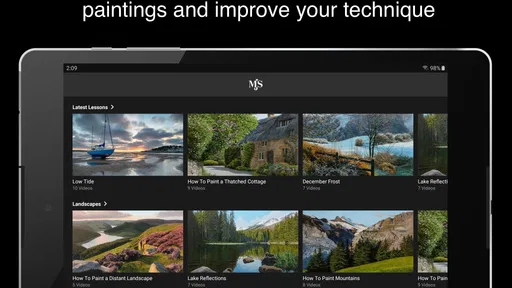
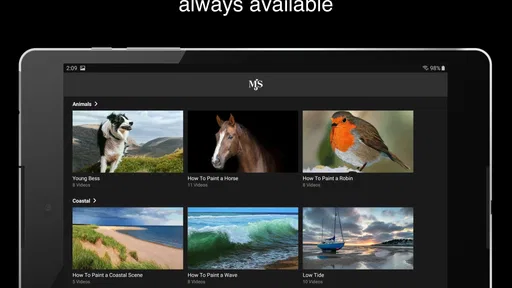
Our Review of MICHAEL JAMES SMITH TV
 Analysis by Appyee
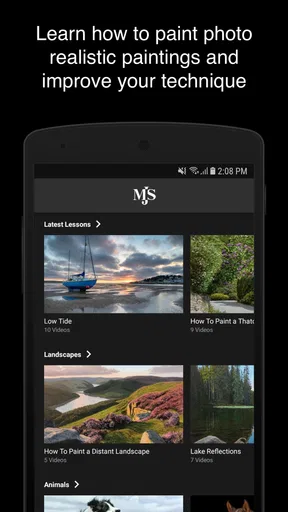
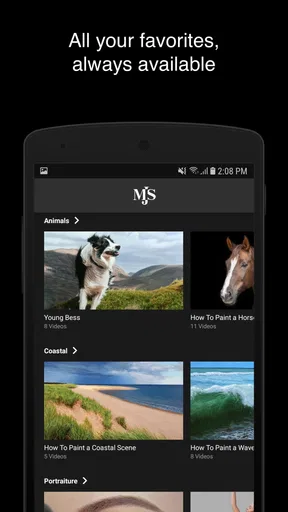
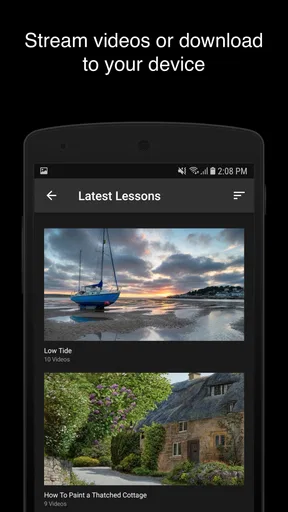
I approached MICHAEL JAMES SMITH TV as a painting companion rather than a general art app. Its purpose is clear: it brings painting lessons on demand to a phone or tablet, with the focus placed on learning from Michael James Smith’s teaching rather than on drawing tools, social sharing, or image editing. That distinction matters because the app makes the most sense when you want guided instruction, not when you are looking for a digital canvas.
In my experience, the biggest question is not whether it can replace a traditional art class. It cannot fully replace the feel of a teacher correcting your brushwork in person. The better question is whether it helps you turn spare time into a repeatable painting routine. For beginners and developing painters, I think it can, especially if you treat each lesson as a practical exercise instead of passive video watching.
The app sits in the Art & Design category and comes from PalettePro Ltd. It is free to install, open to Everyone, and supports devices running Android 8.0 or later. There are in-app purchases ranging from around 34 dollars to around 325 dollars per item, so the initial download is easy to try, but a serious user should understand that the full learning experience may involve paid choices.
Getting past the first points of friction
The first place many people get stuck is expectation. The short store wording, “MICHAEL JAMES SMITH TV,” can sound like a television-style video service, while the longer summary describes painting lessons on demand. I would approach it as a structured lesson library and give myself time to understand how the available material is organized before deciding whether it fits my learning style.
That small change in mindset prevents a common mistake: opening the app, watching a few minutes, and judging it as though it were a quick-reference painting utility. This is not the right tool if your main need is to remove an object from a photo, generate a color palette, or sketch directly on the screen. Its value is in instruction and demonstration, so the useful test is whether the teaching helps you make better decisions on your own canvas.
Installation is straightforward in principle, but I would check compatibility before planning a long session. The minimum operating system is Android 8.0, and the current version is 10.200.1. If the app installs but behaves oddly, I would first confirm that the device is supported and that the operating system is not unusually old. On a tablet or phone that has been heavily customized, restarting before the first serious session is also sensible. It is a simple step, but it removes many temporary problems before you start blaming the app.
I would also avoid beginning with a complicated painting project. Set aside a short first session to open the available lesson material, inspect how you move between sections, and check whether the display is comfortable from your usual painting position. This is especially important on a phone. A small screen can make a demonstration feel cramped, even when the lesson itself is useful. A larger tablet is likely to be more comfortable for following brush placement and tonal changes, while a phone may work better for reviewing a concept away from the studio.
Another practical check is your internet connection. I would not assume that every lesson behaves like a downloaded offline course. If a video or lesson takes a long time to begin, pauses repeatedly, or returns you to an earlier screen, test the same action on a stable connection before changing settings or reinstalling anything. A weak connection can look like an app fault, particularly when the content is visual and takes longer to load than a simple text page.
Before paying for anything, I would explore the free portion carefully and decide what kind of learner I am. Someone who needs a single technique may find a small amount of instruction enough to judge the teaching style. Someone hoping for a complete, sustained program should examine the purchase choices with more attention. The highest listed item price is around 325 dollars, which makes it important to avoid tapping through a purchase simply because a lesson looks interesting.
That price range is not automatically a flaw. Specialized art education can cost more than casual entertainment, and a well-organized course may be worthwhile for a committed painter. Still, the decision should be based on how often you will actually practice. If you only paint once every few months, a large purchase is difficult to justify. If you regularly work in oils or another traditional medium and want a guided reference you will return to, the calculation is different.
A setup routine that saves time later
My preferred setup is deliberately boring. I place the device where I can see it without constantly turning away from the canvas, keep the brush and paint area arranged before starting, and use a small notebook for observations. I write down the lesson name, the problem I am trying to solve, and one practical point I want to test. This stops the session from becoming entertainment and gives me something specific to evaluate.
A useful trick is to pause after a demonstration rather than copying every movement in real time. Watch a short section, stop, and reproduce the idea from memory. Then return to the lesson only when you need clarification. This exposes whether you understood the reasoning behind the stroke or merely followed the moving image. It also makes the app more useful on a smaller screen because you spend less time trying to keep up with rapid visual changes.
I would keep the first exercise limited to one subject or one passage of a painting. Trying to recreate an entire finished work immediately can hide the lesson’s value. If the subject looks flat, ask whether the problem is drawing, value, edges, or color temperature. A lesson library becomes much more powerful when you use it to isolate one weakness rather than expecting one sitting to fix everything.
For a beginner, the most realistic everyday scenario is a short evening practice session. After work, I might prepare a small study, watch the relevant part of a lesson, and spend the rest of the time testing one decision on canvas. The next day, I can compare the result with the demonstration and identify what changed. That routine is more sustainable than waiting for a free weekend to attempt a large painting and then abandoning the project when the result becomes difficult.
Recovering when a lesson or session goes wrong
When an app-based lesson stops behaving normally, I use a simple recovery order. First, I return to the lesson screen and try again without changing anything else. If the content still fails, I close the app completely, reopen it, and test a different lesson or section. This helps separate a problem with one piece of content from a broader problem with the application.
If the issue continues, I check the connection, free device storage, and system updates. I would not immediately clear all app data, because that can remove local state or force me to repeat setup steps. A restart is safer. If the problem appears only on one device, comparing it with another supported device can also be informative, provided I use the same account and connection conditions.
There is a difference between losing your place and losing your work. A video lesson can usually be resumed by finding the relevant section again, but a physical painting cannot be restored with a button. For that reason, I make a quick note before leaving a session: where I stopped, what color mixture I used, and what I planned to do next. This habit is surprisingly valuable because it lets me recover even if the app does not return me to exactly the same point.
If a lesson feels too fast, I do not interpret that as proof that I lack ability. I reduce the task. Instead of copying the entire demonstration, I make a small study of the lightest area, the darkest area, or a single edge transition. I then revisit the explanation with a narrower question. This workflow turns frustration into diagnosis and is more productive than repeatedly replaying the same section without changing the exercise.
Another useful recovery method is to compare the screen with the canvas at a distance. Beginners often work too close, adjusting tiny details while the larger value pattern remains wrong. I step back, squint, or view the painting from across the room, then return to the lesson with that larger problem in mind. The app can show a technique, but it cannot decide which mistake matters most in my particular painting. That judgment still belongs to the person holding the brush.
I also recommend separating technical trouble from artistic trouble. If the lesson loads but your painting looks wrong, do not reinstall the app. Check the drawing, proportion, value grouping, and paint consistency first. If the lesson itself will not open, the screen freezes, or navigation repeatedly fails, then technical troubleshooting makes sense. Keeping those two problems separate saves time and prevents a perfectly good lesson from being blamed for a difficult painting.
When the app is not the cause
Painting results depend on more than instruction. The surface, brushes, pigments, lighting, and drying time can all change what you see. A demonstration may appear easier because the instructor has already solved the drawing and prepared the surface. If my first attempt looks different, I consider whether I am comparing a finished professional process with an early personal study. That is not an excuse to ignore mistakes, but it is a fairer way to measure progress.
Lighting deserves special attention. A warm household bulb can make colors appear more orange, while a dim room can make values seem closer together. If the screen and canvas are under very different lighting, I may think the lesson is recommending a color that it is not actually showing. I would keep the painting area reasonably consistent and avoid making major color corrections late at night when the room changes the appearance of the work.
Materials can create another false diagnosis. A thin, transparent mixture will not behave like a thicker paint film, and a rough surface will break a stroke differently from a smooth one. If a brushmark refuses to match the demonstration, I first adjust pressure, paint load, and surface position before concluding that the instruction is unclear. The app can demonstrate the movement, but the physical response still depends on the tools in my hand.
This is also where the app’s limits become clear. A video-based lesson can show a process repeatedly, but it cannot physically guide my wrist or inspect my canvas from every angle. If I need direct critique, accountability, or a teacher who adapts instantly to my mistakes, an in-person class or live online workshop may be better. If I need a fast color picker, layer system, undo button, or perspective guide, a digital painting app is the more appropriate alternative.
Compared with free tutorial videos, MICHAEL JAMES SMITH TV has the potential advantage of being centered on one teaching voice and a more deliberate learning path. The trade-off is cost and commitment. Free videos are easier to sample and can provide a broad range of styles, but they may encourage random viewing. This app is a better fit when I want to stay with a particular approach and practice it over time.
Compared with books, the app offers a more immediate view of movement and sequence. A book is often better for quiet reference, annotation, and reviewing a finished diagram without relying on a screen. I would choose the app for seeing how a process unfolds, then use written notes or a physical reference beside the canvas when I need to work without interruption.
Compared with general art-learning platforms, the narrower identity is both a strength and a limitation. A broad platform may offer drawing, illustration, design, photography, and many instructors. This app is more focused on painting lessons associated with Michael James Smith. That focus can make practice feel less scattered, but it may not suit someone who wants to jump between unrelated creative disciplines.
Who will benefit, and who should skip it
I think the strongest audience is the painter who learns well by watching a process, pausing it, and repeating it with real materials. Beginners can use the guided format to build a routine, while intermediate painters may appreciate having a reference when a landscape, light effect, or tonal problem becomes difficult. The app is also useful for people who prefer studying alone and need a lesson available at the moment motivation appears.
I would be more cautious if you want instant results or dislike repetition. Painting lessons require practice away from the screen, and the app cannot turn a single viewing into reliable brush control. It is also not the best choice for someone primarily interested in digital illustration, animation, graphic design, or photo editing. The Art & Design label is broad, but this product’s practical identity is much narrower: learning to paint through on-demand instruction.
Parents should also remember that an Everyone age rating describes suitability, not teaching level. A young user may be able to open the app, but the materials, patience, and supervision needed for a physical painting project are separate considerations. The same is true for older beginners: the interface may be approachable, yet the artistic exercises can still demand concentration and repeated attempts.
The rating is an encouraging sign, with a 4.9 average from around 211 ratings and around 36 written reviews. I treat that as useful context rather than a guarantee. A high average can indicate that the app satisfies its intended audience, but it does not tell me whether every learner prefers this teaching style or whether a particular purchase suits my goals. I still judge it by the quality of the lessons I can access and the consistency of my own practice.
The app has passed the 10K-plus install mark, which suggests that it has reached a meaningful group of learners without making it a mainstream general-purpose art platform. Its release date was February 11, 2020, so I would keep my expectations realistic about the age of the product. The current version shows that it remains maintained, but the experience still belongs to a focused lesson app rather than a constantly changing creative community.
My practical verdict after using it as a learning tool
I would recommend MICHAEL JAMES SMITH TV to a friend who wants painting instruction available at home and is willing to practice with a real canvas between lessons. Its strongest quality is focus. Instead of asking me to browse endless unrelated tutorials, it gives the learning experience a recognizable center. That makes it easier to build a habit, provided I choose a manageable exercise and take notes rather than simply watching.
I would not recommend making a large purchase immediately. Start with the free access, test the teaching style on a small study, and decide whether you can imagine returning to the lessons regularly. Because individual in-app purchases can reach around 325 dollars, the right question is not whether the content looks appealing for one evening. Ask whether it solves a recurring problem in your painting practice and whether you will use it often enough to justify the commitment.
My most practical advice is to treat each lesson as a three-part cycle: watch for the idea, practice one isolated passage, and review the result later under consistent light. That method reveals whether the app is genuinely improving your decisions. It also protects you from the most common weakness of on-demand learning, which is confusing recognition with skill. Understanding a demonstration is not the same as being able to reproduce it.
For me, the app works best as a structured reference beside traditional painting, not as a replacement for materials, observation, critique, or patience. If that is what you want, the free starting point and Everyone rating make it approachable, while the focused instruction gives it more purpose than a random search through tutorials. If you need digital tools, live feedback, or a broad creative curriculum, I would choose a different option. For painters seeking a dedicated lesson companion, however, PalettePro Ltd has created a focused app worth testing carefully before deciding how deeply to invest.
Verdict
Strengths of MICHAEL JAMES SMITH TV
- Easy access to Michael James Smith’s latest TV content in one place.
- Useful for viewers who enjoy practical fishing and outdoor entertainment.
- Simple layout makes browsing available videos straightforward.
- Convenient mobile viewing at home or while traveling.
- May help fans keep up with new episodes and channel updates.
Limitations of MICHAEL JAMES SMITH TV
- Content availability may vary by region or over time.
- Requires an internet connection for most video playback.
- Video quality can depend on your device and network speed.
- The app may offer limited features beyond viewing the shows.
- Frequent notifications could be distracting for some users.
Similar Picks in This Category
View All
Canva: AI Photo & Video Editor
Canva4.8

PENUP – Drawing-sharing SNS
Samsung Electronics Co., Ltd.4.5

Crafto
Kutumb App4.6

Sketchbook
Sketchbook4.1

ibis Paint X
ibis inc.4.5

Adobe Express: AI Photo, Video
Adobe4.6
Frequently Asked Questions
What is MICHAEL JAMES SMITH TV?
MICHAEL JAMES SMITH TV is a streaming-focused application centered on content from Michael James Smith. Depending on the version and region, it may provide access to videos, tutorials, broadcasts, interviews, or other related media. Before downloading, users should check the app description, screenshots, supported devices, and available content to confirm that it matches their expectations.
Is MICHAEL JAMES SMITH TV free to download and use?
The application may be free to download, but access to all videos or premium features can depend on the service’s subscription model. Some content might be available without payment, while other sections may require registration, a paid plan, or in-app purchases. Always review the store listing and payment details before subscribing, especially regarding automatic renewal.
What devices are compatible with MICHAEL JAMES SMITH TV?
Compatibility depends on the version of the application and the operating system installed on your device. It is designed for supported Android or iOS smartphones and tablets, but older devices may not run it correctly. Check the required operating-system version, available storage, and developer information in the official app store before installation.
Does MICHAEL JAMES SMITH TV require an internet connection?
Yes, users should generally expect to need an internet connection to browse the service, load video pages, sign in, and stream content. A stable Wi-Fi or mobile-data connection will provide better playback quality and reduce buffering. If the app offers downloads for offline viewing, availability may depend on the specific video, account type, and regional restrictions.
Is MICHAEL JAMES SMITH TV safe to install?
The safest way to install MICHAEL JAMES SMITH TV is through the official Google Play Store or Apple App Store rather than an unknown third-party website. Before installing, verify the developer name, permissions, privacy policy, ratings, and recent reviews. Avoid modified APK files, and keep your device’s operating system and security protections updated for safer use.
